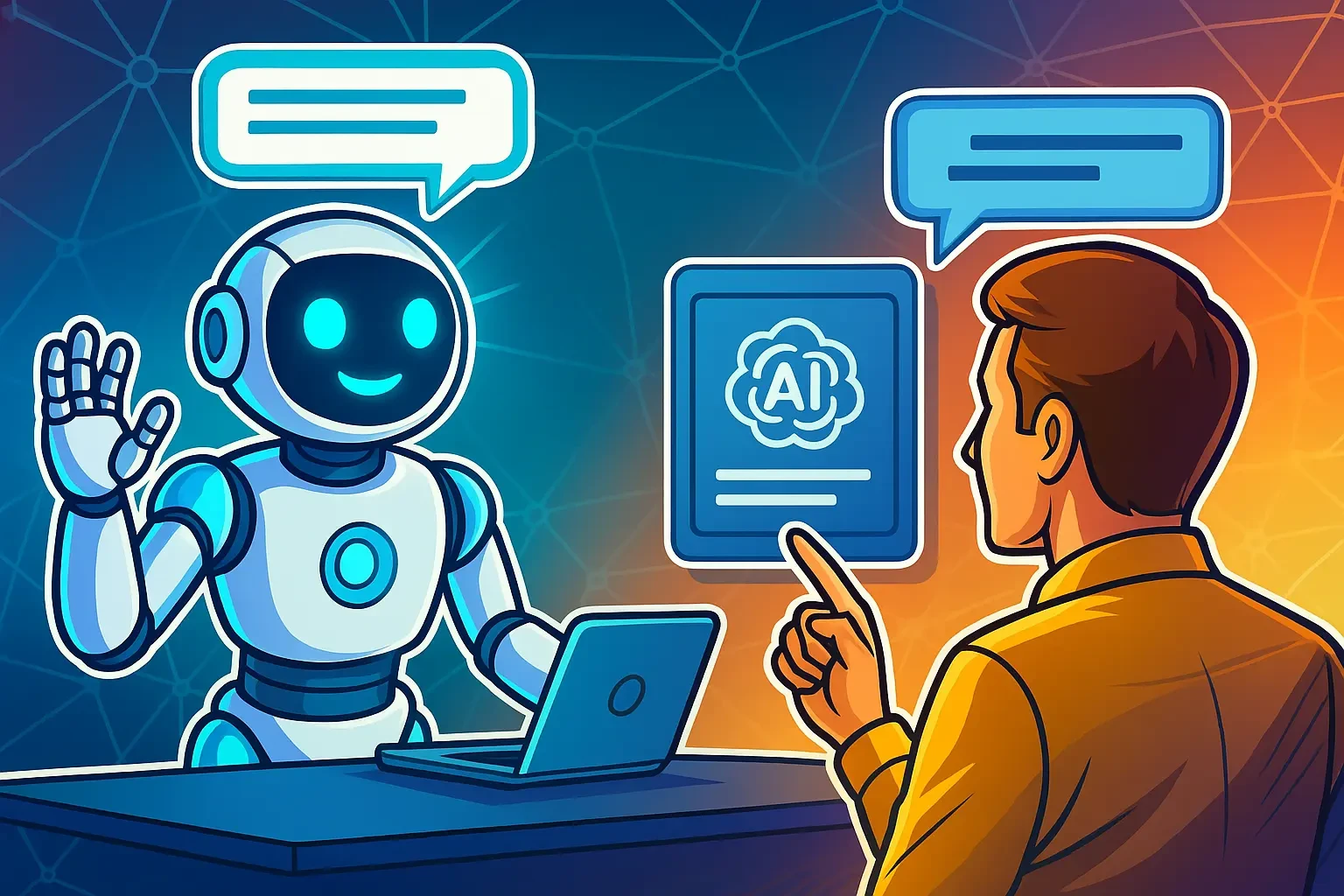
Chatbots have become a key tool for automating business processes. They support sales, analytics, personalised communication and content creation. Thanks to AI and large language models (GPT, Claude, Gemini and others), modern bots understand conversation context and user intent, making interactions with a brand more natural and efficient.
For a marketer, a chatbot is not just another communication channel but an instrument that increases conversion rates, reduces support costs and provides valuable data on audience behaviour.
Why chatbots matter in marketing
A chatbot is a virtual manager that identifies customer needs and helps to meet them. Information can be delivered in text, interactive or multimedia format. For users, it is a convenient way to instantly get the information they need to make a purchase decision or place an order.
A practical example: a large food brand launched a culinary chatbot that uses AI to help users cook. The bot can generate a menu based on ingredients in the fridge or suggest a list of recipes. It also provides information about the company’s products and connects users with support online.
Key benefits of chatbots in marketing
-
Effective, personalised communication
A virtual assistant tailors content to each user, so people receive only the information they actually asked for.
💡 Around 80% of consumers are more likely to buy from companies that offer a personalised experience powered by AI and chatbots.
-
Lower customer support costs
A bot works 24/7, handles many conversations in parallel and doesn’t require additional staff.
💡 The average cost of a chatbot interaction is about $0.50, while a human agent interaction costs around $6.
-
Measurable data and analytics
Data collected by chatbots can be integrated with CRM and analytics tools. This allows you to measure performance, see which messages and offers work best, and segment the audience by behaviour patterns.
💡 90% of marketers who use AI tools rely on them to make faster, data-driven decisions, including data coming from chatbots.
-
Lead generation and nurturing
Bots can work with users at all stages of the sales funnel and qualify leads, filtering out irrelevant ones.
💡 Chatbots can increase the number of leads by up to 50% thanks to automated contact collection and high-quality interactions.
-
Additional capabilities and integrations
Modern chatbots integrate with payment services, marketing platforms, IoT devices and voice assistants. As functionality expands, brands can reach new audiences.
💡 About 95% of customer interactions worldwide are already partially or fully automated with AI and chatbots.
What types of businesses need chatbots?
First of all, companies that deal with a large flow of customers, repetitive queries and online sales:
-
E-commerce and retail. For example, Sephora uses a bot to consult customers, help choose products, place orders and process payments.
-
Banking and financial services. Chatbots assist with account information, payment status, card issues and customer support.
-
HoReCa (restaurants, hotels, delivery). Domino’s Pizza accepts orders via an AI-powered bot on WhatsApp and Facebook. Users can link their accounts and order from different devices.
-
Education and online courses. Many online schools use chatbots that help users choose a profession or a learning track. A bot can ask a series of questions, assess interests and then suggest relevant programmes.
-
Healthcare. Several clinics have tested an AI assistant based on GPT-4-class models. It helped detect errors, refine diagnoses and flag dangerous drug combinations. Result: roughly 16% fewer diagnostic errors and 13% fewer prescription errors, according to published research.
-
B2B and SaaS. HubSpot, for example, uses its own assistant to answer common questions and connect customers with support.
How to know if your business needs a chatbot
A chatbot is likely a good idea if at least one of the following is true:
-
Customers struggle to find information on the website by themselves.
-
Customers spend too much time talking to operators just to get basic answers.
-
Support agents cannot cope with the flow of messages from email, social media and messengers, and leads are lost due to slow response.
-
Managers spend a lot of time on routine tasks (checking stock, calculating custom prices, confirming orders, etc.).
-
Email campaigns are less effective than before and conversion from newsletters is falling.
Main types of chatbots and what they can do
All bots can be roughly divided by how they work, how they communicate and how “smart” they are.
|
Type of chatbot |
Advantages |
Limitations |
Example |
|---|---|---|---|
|
Scripted – works on predefined scenarios, reacts to keywords, queries and simple commands |
Quick to set up, low cost, stable |
Can’t handle complex or non-standard queries outside the script |
A store bot that helps choose a product and place an order using menu buttons |
|
AI-powered – uses NLP, understands meaning and context, supports long dialogues and can adapt tone of voice |
Flexible, natural conversations, can learn over time |
Higher development cost, requires integration with AI APIs |
A GPT-based Telegram bot that consults clients and generates personalised offers |
|
Hybrid – combines script logic with AI elements |
Fast responses with high service quality and personalisation |
More complex to configure because scenarios need to be detailed and well designed |
The bot answers standard delivery questions automatically; a human joins when a customer has an individual issue |
|
Voice bot – can “talk” and recognise natural speech |
Very fast, convenient, hands-free experience |
Expensive to build; may misinterpret accents or background noise |
A voice bot of a telecom or bank confirming operations and answering questions |
|
Multimodal – processes not only text or voice but also images, video, files and links |
Deeper understanding of user requests |
Requires powerful models and infrastructure |
A user sends a product photo; the bot recognises it, finds it in the catalogue and suggests alternatives |
|
Functional / transactional – performs specific operations (booking, payments, registration, surveys) |
Process automation, fewer human errors |
Needs integration with external services |
A hotel booking bot that instantly issues invoices and confirms reservations |
Modern chatbots are much more than “scripted responders”. Today they can:
-
Support long multi-turn dialogues and handle several questions at once while storing user data across sessions.
-
Act as a part of a broader digital ecosystem, integrating with websites, CRM, knowledge bases, APIs and payment services.
-
Work in a multimodal way: recognise voice, images and video, process various file formats and even hold voice conversations.
-
Generate content: large language models understand context and can create texts, scenarios, product descriptions, videos or detailed answers in a defined tone of voice.
Where chatbots live: platforms and capabilities
A bot platform is software or an API on which a virtual assistant can be built. Most popular messengers now support chatbots.
A major trend is omnichannel experiences: one bot can work simultaneously in several channels while synchronising user data. This way, the brand provides seamless communication regardless of where the conversation started (Instagram, Telegram, website chat, etc.)
Telegram
One of the most popular platforms for both communication and chatbots. Telegram has an open API that allows fast integration with external services (CRM, payment systems, etc.).
With proper configuration, a Telegram bot can replace a mobile app: it can consult users, accept payments and track orders. The interface can be customised to match a brand’s visual style.
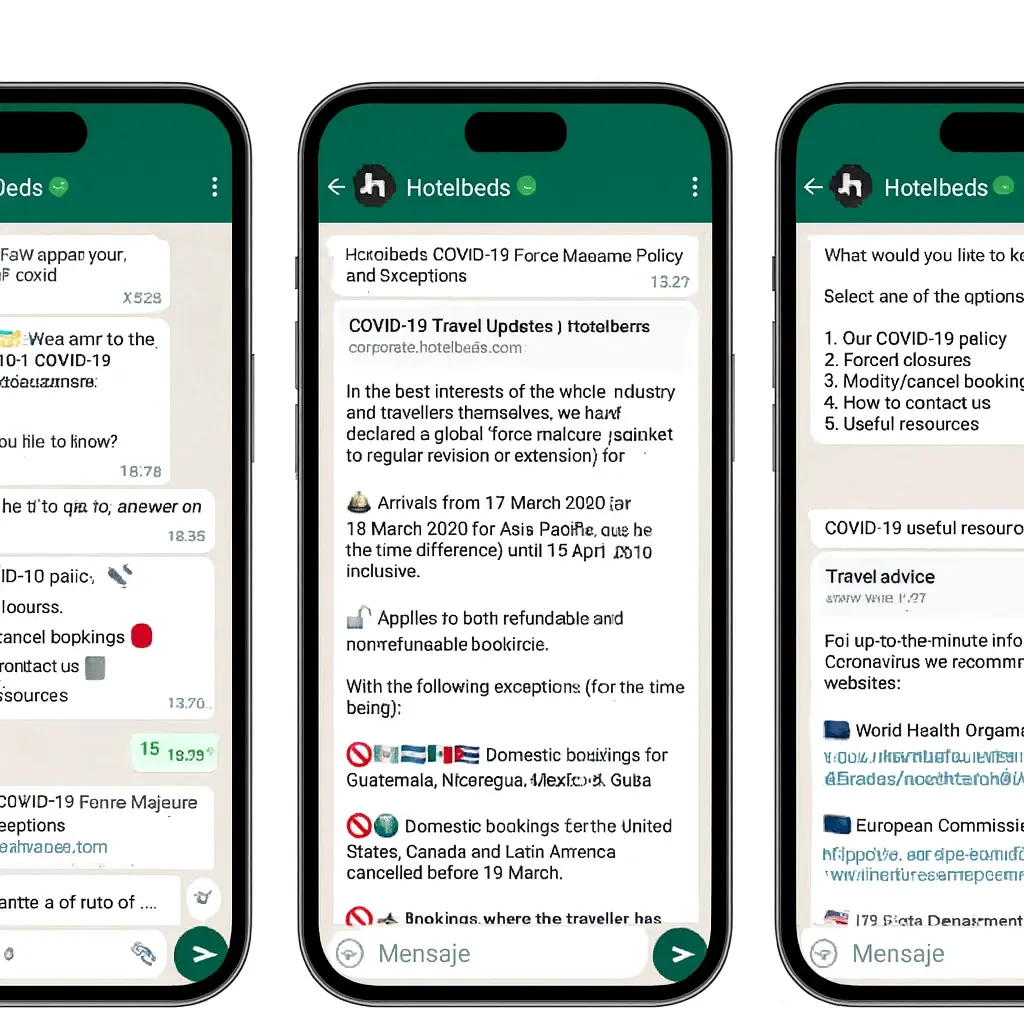
Bots in WhatsApp use WhatsApp Business API. It supports integration with CRM, payment systems and other services. Key capabilities include:
-
Automatic replies to FAQs (price, stock, business hours).
-
Order and booking processing without a manager.
-
Broadcasts with updates, promotions and delivery status.
-
Personalised offers based on behaviour and purchase history.
-
Rich replies with text, photos, video, documents, buttons and links.
Facebook Messenger
Messenger chatbots offer advanced features:
-
Text and interactive messages;
-
Action buttons;
-
In-chat payments and invoicing;
-
Integration with Facebook Ads (a bot opens directly from an ad);
-
Automatic replies using Meta AI
A business needs a public Facebook Page to launch such a bot.
Instagram Direct
Virtual assistants in Instagram Direct work via the official Messenger API and can:
-
Instantly answer common questions in Direct or automatically greet new followers.
-
Provide product/service info, help with checkout, ask clarifying questions and give personalised recommendations.
-
Offer menu buttons so users can choose actions and move through scenarios.
-
Automatically DM users who left a comment or mentioned the account in Stories.
-
Collect contact details and send them to the CRM, segmenting users by chosen parameters.
You can also set up ads that open a conversation in Direct via the “Send message” button.
Viber
A Viber bot offers functionality comparable to other messengers. From a public account it can:
-
Send broadcast messages (including to contacts who aren’t subscribed to a channel);
-
Display products in carousel format;
-
Work together with a “Message us on Viber” button on the website.
Website chat
On websites, chat usually appears as a small widget that allows visitors to talk to a representative or a bot in real time without leaving the page. Chatbots can handle routine tasks:
-
Automatically greet visitors;
-
Offer a menu with topics (support, sales, delivery) to route users correctly;
-
Provide instant answers to standard questions;
-
Collect contact details when managers are offline.
How to build a chatbot: key stages
Creating a chatbot is a step-by-step process:
-
Define goals.
Decide what the bot should do: automate support, collect leads, sell products, educate users or simply inform them. Clarify business goals and KPIs such as user satisfaction, share of conversations resolved without a human, or conversion to purchase.
-
Choose the type, features and platform.
Pick a scripted, AI or hybrid bot and decide where it will live (website, app, Telegram, WhatsApp, etc.).
-
Create content and a knowledge base.
Prepare answers, flows, templates, greetings and closing phrases. AI bots need a knowledge base (documents, articles, instructions) they can use to generate responses.
-
Set up integrations.
Connect the bot to CRM, payment services, booking systems, customer databases or internal APIs. This turns it into a full-fledged tool that can create tickets, send invoices or check order status.
-
Test thoroughly.
The team checks how the bot reacts to user actions and whether its answers sound natural. For AI bots, extra attention is paid to complex and ambiguous queries.
-
Launch and monitor.
After successful testing, the bot is launched on the website, in messengers or in the mobile app. It’s crucial to track analytics: how many users interact with the bot, which scripts work best, average dialogue length, how many cases are escalated to an operator, etc. This data helps optimise scenarios and run A/B tests.
Where to build a chatbot: main options and tools
CMS plugins
Website owners on popular CMS platforms can use ready-made plugins. Most offer free or “light” plans so you can test the bot before paying. Setup is usually no-code: install the plugin, connect your messaging account (Telegram, Facebook, etc.) and configure conversation flows.
Cons: limited functionality due to scripted logic, dependence on the CMS and plugin updates. Suitable for small and medium businesses, local companies, promo sites and blogs.
Examples:
-
WordPress
-
Tidio – 35+ ready-made flows for sales, support and lead generation
-
HubSpot for WordPress – visual builder + CRM integration
-
WPBot – works with ChatGPT, supports data collection
-
AI Engine – uses ChatGPT/DaVinci and other models to create custom bots
-
Collect.chat – for survey and lead-qualification chatbots
-
-
Joomla
-
Elfsight AI Chatbot – intuitive visual editor
-
Commoninja AI Chatbot – supports product cards, knowledge-base uploads and design customisation
-
-
Drupal
-
MyLiveChat – easy to embed as blocks, tracks user activity
-
Boei Chat Widget – offers lead-generation features and flexible customisation
-
-
OpenCart
-
ClickDesk Live Chat – includes voice/video chat
-
Optizium ChatBot – simple set-up, can hand over to an operator when needed
-
Online builders
Online bot builders usually offer better support and more customisation. You choose a template, configure your own flow or connect AI.
Cons: monthly subscription and dependence on a third-party platform. Best for mid-sized businesses, e-commerce, marketers and SMM specialists who want a quick automated solution without developers.
Popular builders:
-
Manychat 2.0 – bots for Telegram, Instagram, Facebook with AI responses
-
Landbot – visual builder, CRM, ChatGPT and Zapier integrations
-
SendPulse – omnichannel bots for Telegram, WhatsApp, Instagram and webchat
-
Botpress Cloud – modern GPT-based AI platform that can learn from your own data
-
Voiceflow – builders for both text and voice bots
Custom development from scratch
This is the most complex and expensive approach. A development team builds the bot based on a detailed technical specification. This makes sense when you need:
-
A fully custom widget;
-
Strong data protection;
-
Deep integration with CRM and internal systems.
Pros: unlimited functionality, full control over data, a truly unique assistant that can even become a “face” of the brand.
Cons: higher cost, longer timeline and the need for a dedicated development team. Suitable for large enterprises, financial institutions, tech startups and projects with strict security requirements.
Tip: If you’re just starting with chatbots, begin with CMS plugins or online builders. Test different scenarios and see what actually works. Once the volume of conversations grows and you need more analytics, personalisation or voice, move to a hybrid AI solution or a custom build.
How to increase chatbot effectiveness
The effectiveness of a chatbot depends not only on technology but also on the emotional experience it creates:
-
Give the bot a name and avatar.
Visual identity strengthens the emotional link to the brand. Users see the bot as a “company representative”, not just a program.
-
Add short pauses between messages.
Instant answers can feel robotic. A delay of 1–2 seconds makes it look more like a real person typing and increases trust.
-
Use buttons with answer options.
Not everyone likes to type. Buttons shorten the path to key actions, improve engagement and increase conversions.
-
Avoid blunt negative replies.
Instead of “I don’t know”, use soft wording: “I’m not sure I understood correctly, let’s try this…”, or “I can suggest a few alternatives that might help.”
-
Close conversations with an invitation to return.
For example: “Glad I could help! I’m here 24/7 if you need anything else.”
Chatbot trends to watch
-
AI agents.
An advanced form of chatbot that not only answers questions but also performs actions based on context: analyses data, creates reports, makes purchases, books services and manages processes.
Example: a travel agency’s AI agent can recognise a destination from a photo or video, build an itinerary, find flights and book a hotel.
-
Multimodal bots.
They work with text, voice and images at the same time, analyse them and provide relevant answers.
Example: a sportswear app bot can identify a sneaker model from a photo and suggest similar or matching products.
-
Ethics and regulation.
Brands must comply with GDPR and other regulations and follow ethical standards related to transparency, data security and non-discrimination.
-
Bots in virtual worlds.
AI assistants become guides or NPCs in games and consultants in VR/AR environments.
-
Integration with “smart” systems and IoT.
From office equipment to smart homes and industrial IoT platforms.
Example: Amazon Alexa lets you control lighting and appliances in a smart home via voice or smartphone.
Chatbots have become an integral part of the modern digital ecosystem. They automate communication, create a personalised experience for each customer and help companies sell more, faster and more efficiently. By implementing chatbots today, you secure a competitive advantage for tomorrow.
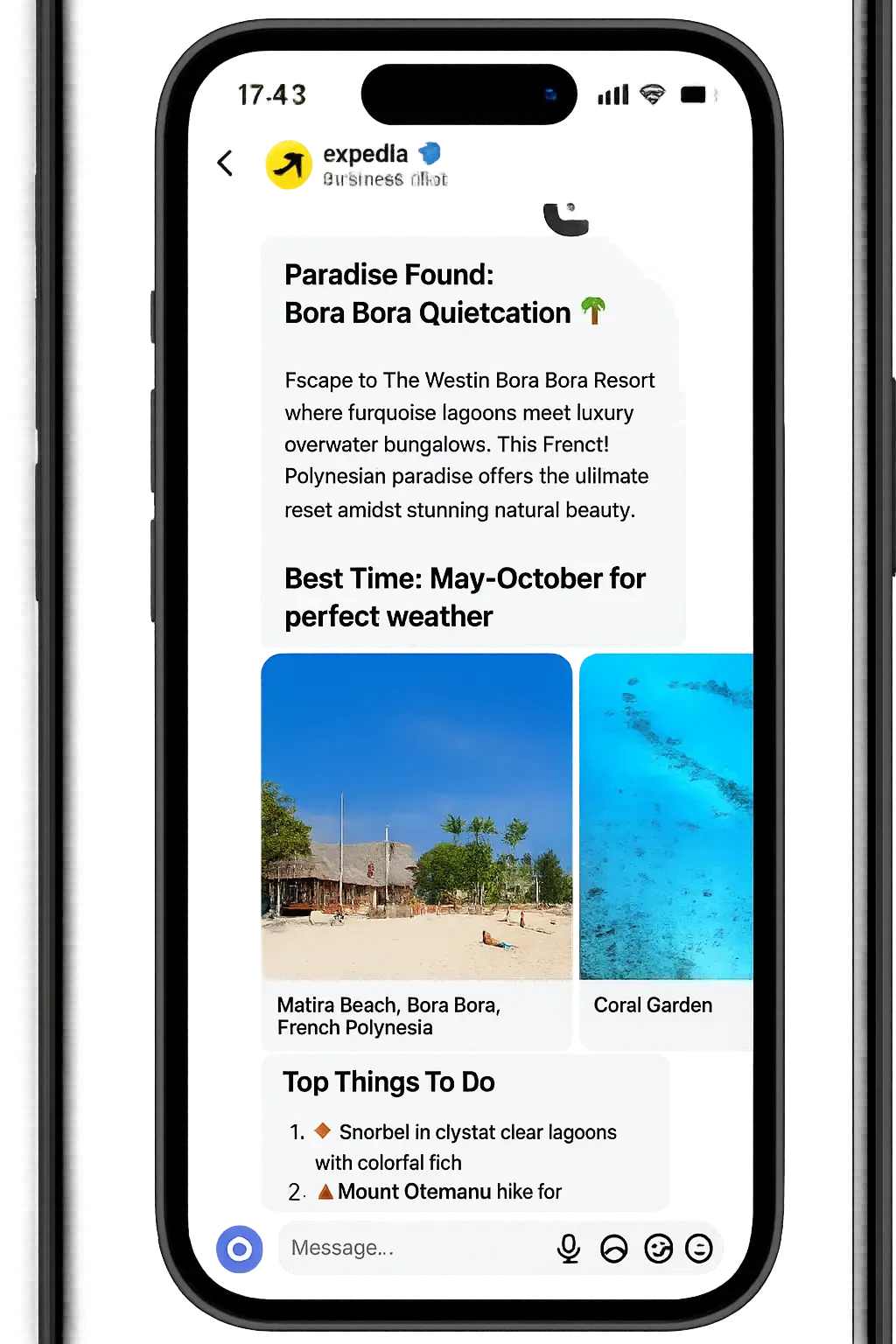
For example: online travel agency Expedia has an AI agent that helps with travel planning. The assistant can find a location based on photos/videos, create a travel itinerary, select flights, and book a hotel.
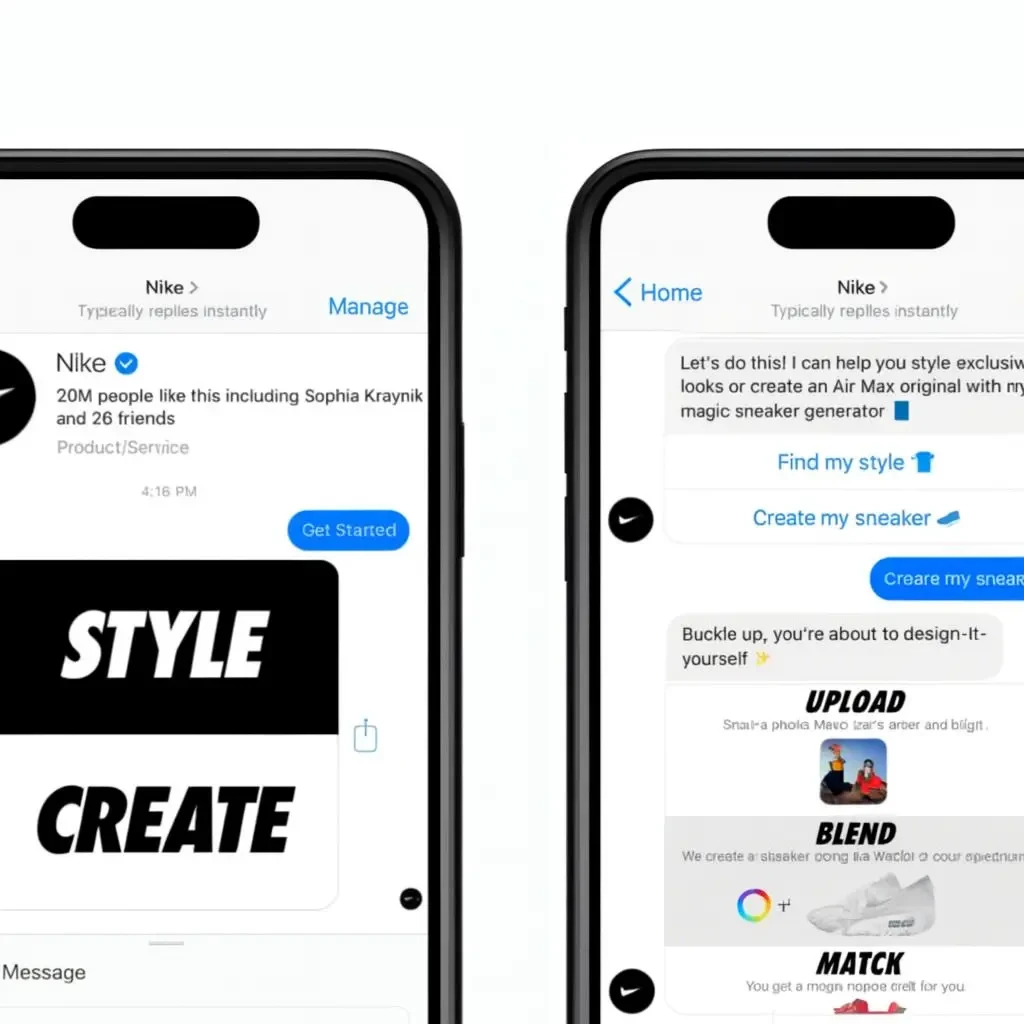
For example: a bot in the Nike mobile app can identify a shoe model from a photo, suggest similar products or color options.
FAQ
What is a chatbot in simple terms?
A chatbot is software that communicates with users via text or voice, provides information, consults, helps place orders and performs other tasks automatically without human involvement.
On which platforms can chatbots be used?
Popular platforms include Telegram, WhatsApp, Instagram Direct, Facebook Messenger, Viber, as well as website widgets and mobile apps.
What types of businesses benefit from chatbots?
They work well for both B2C and B2B: online stores, banks, medical and educational platforms, HoReCa, insurance, IT services, marketing agencies and many others.
What are the main advantages of chatbots in marketing?
-
Personalised interaction with each customer;
-
Reduced staffing and support costs;
-
Measurable data and behaviour analytics;
-
Lead generation and nurturing 24/7;
-
Extra opportunities for scaling and entering new markets.
What are the risks of using chatbots?
-
AI models can misinterpret queries, lose context or even hallucinate answers. To mitigate this, limit the bot’s domain, define clear rules and allow escalation to a human agent when the bot is unsure.
-
Data privacy and legal compliance (GDPR, local laws). If a bot collects personal data (name, phone, email, etc.), the company must obtain consent, define the purpose of collection and ensure secure storage.
-
Technological dependence on the platform provider. It is wise to have a backup plan – for example, the ability to migrate logic and data to another system or use a hybrid architecture with local storage of critical data.
How can we improve chatbot performance?
-
Give it a name and logo;
-
Add delays between messages for naturalness;
-
Use buttons and quick replies;
-
Replace blunt refusals with polite alternatives;
-
End conversations with phrases that encourage users to return.
Is it safe to use chatbots for business?
With proper technical configuration and compliance with ethical and legal standards, chatbots are safe for both business and user data.
Can a chatbot be connected to CRM or analytics tools?
Yes. Modern bots integrate with CRM, ERP and analytics platforms, which makes it possible to track user behaviour, segment audiences and automate marketing.
What common mistakes reduce chatbot effectiveness?
-
Overly complex or long flows;
-
Lack of personalisation and adaptation;
-
Ignoring analytics and user feedback;
-
Frequent technical errors or long response delays.
All of these can be avoided with thoughtful design, regular testing and continuous optimisation of your chatbot strategy.